Simple Claude dictation
 Claude
 Codex
CodexNaturally speak into LLMs like Claude and Codex. State of the art accuracy in all languages.




Just speak your prompts
What makes VoiceAppear the best way to prompt Claude? Let’s check!
Perfect prompts, always
Better input, better output: Write detailed prompts in a matter of seconds. VoiceAppear automatically formats commands, variables and more the way Claude Code needs it.
100+ supported languages
Seamlessly switch between languages as you speak. Our speech-to-text engine is fully multilingual and supports over 100 languages and accents.
Add screenshots as you speak
You don't need to be in Claude Code to start dictating. VoiceAppear allows you to start dictating from anywhere, and attach text and screenshots as you speak.
Ready in 3 steps
 1
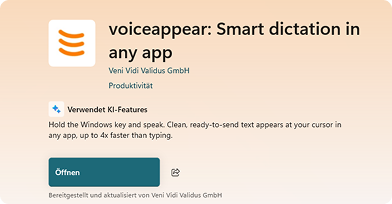
1Install the App
The app is free and does not require configuration
 2
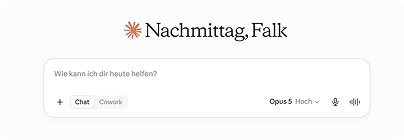
2Open Claude
Works in Claude Web, Code, Cowork and any other App
 3
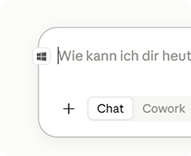
3Enjoy!
The dictation button will show in your message field
Questions?
VoiceAppear is a desktop dictation app for Windows and Mac. Hold a hotkey, speak, and your words are typed directly into the Claude message box.
Yes. VoiceAppear types wherever your cursor is, so it works in the Claude desktop app exactly like it does in the web.
We offer a desktop App and a chrome extension. You can find the links at the top of the page.
Dictating is up to 4x faster than typing, and transcripts appear in under 500ms after you release the hotkey.
Yes. VoiceAppear recognizes file names, skills, agents and other terms from your conversation, so things like src/index.js come out exactly right.
Your transcripts and audio are never stored or shared. Everything is processed securely and discarded right after your text appears.
Absolutely. Every plan starts with a 14-day free trial, no credit card required.
We're happy to help. Reach us at support@voiceappear.de